September 8, 2025Comments Off on What Does a Software Engineer Do?
What Does a Software Engineer Do?
What Does a Software Engineer Do?
A software engineer plays a critical role in the development, testing, and maintenance of software applications. Here’s a detailed overview of what a software engineer typically does:
1. Requirements Gathering
Collaboration with Stakeholders: Software engineers often work closely with product managers, clients, and other stakeholders to understand their needs and requirements.
Documentation: They document requirements and specifications, ensuring that everyone involved has a clear understanding of the project scope.
2. Designing Software Solutions
System Architecture: They design the overall structure of the software, determining how different components will interact.
Technical Specifications: Create detailed technical specifications that outline how the software will function, including data flow and user interfaces.
3. Writing Code
Programming: A significant part of a software engineer’s job involves writing code in various programming languages (e.g., Python, Java, JavaScript, C#).
Frameworks and Libraries: They often use frameworks (like React for web development or Django for back-end) and libraries to streamline development.
4. Testing and Debugging
Quality Assurance: Software engineers write unit tests and integration tests to ensure the software functions as intended.
Debugging: They identify and troubleshoot bugs or issues in the code, using debugging tools and techniques to resolve them.
5. Version Control and Collaboration
Version Control Systems: Engineers use tools like Git to manage code changes, collaborate with other developers, and maintain a history of the project.
Code Reviews: Participating in code reviews to ensure code quality and share knowledge with team members.
6. Deployment and Maintenance
Deployment: Software engineers are responsible for deploying applications to production environments, ensuring that everything runs smoothly.
Maintenance: They monitor software performance, address user-reported issues, and implement updates or enhancements as needed.
7. Documentation and Support
Technical Documentation: Writing clear documentation for the software, including user manuals and API documentation, for future reference.
User Support: Occasionally, software engineers may assist in troubleshooting issues and providing support to users.
8. Continuous Learning and Improvement
Keeping Up-to-Date: The tech field is ever-evolving, so software engineers regularly learn new languages, tools, and methodologies to enhance their skills.
Best Practices: They adopt best practices in coding, design patterns, and development processes to improve software quality and team efficiency.
9. Specialization Areas
Software engineers may specialize in various areas, including:
Front-End Development: Focusing on user interfaces and user experience.
Back-End Development: Working with servers, databases, and application logic.
Full-Stack Development: Handling both front-end and back-end tasks.
DevOps: Integrating development and operations to streamline deployment and infrastructure management.
Mobile Development: Creating applications for mobile platforms like iOS and Android.
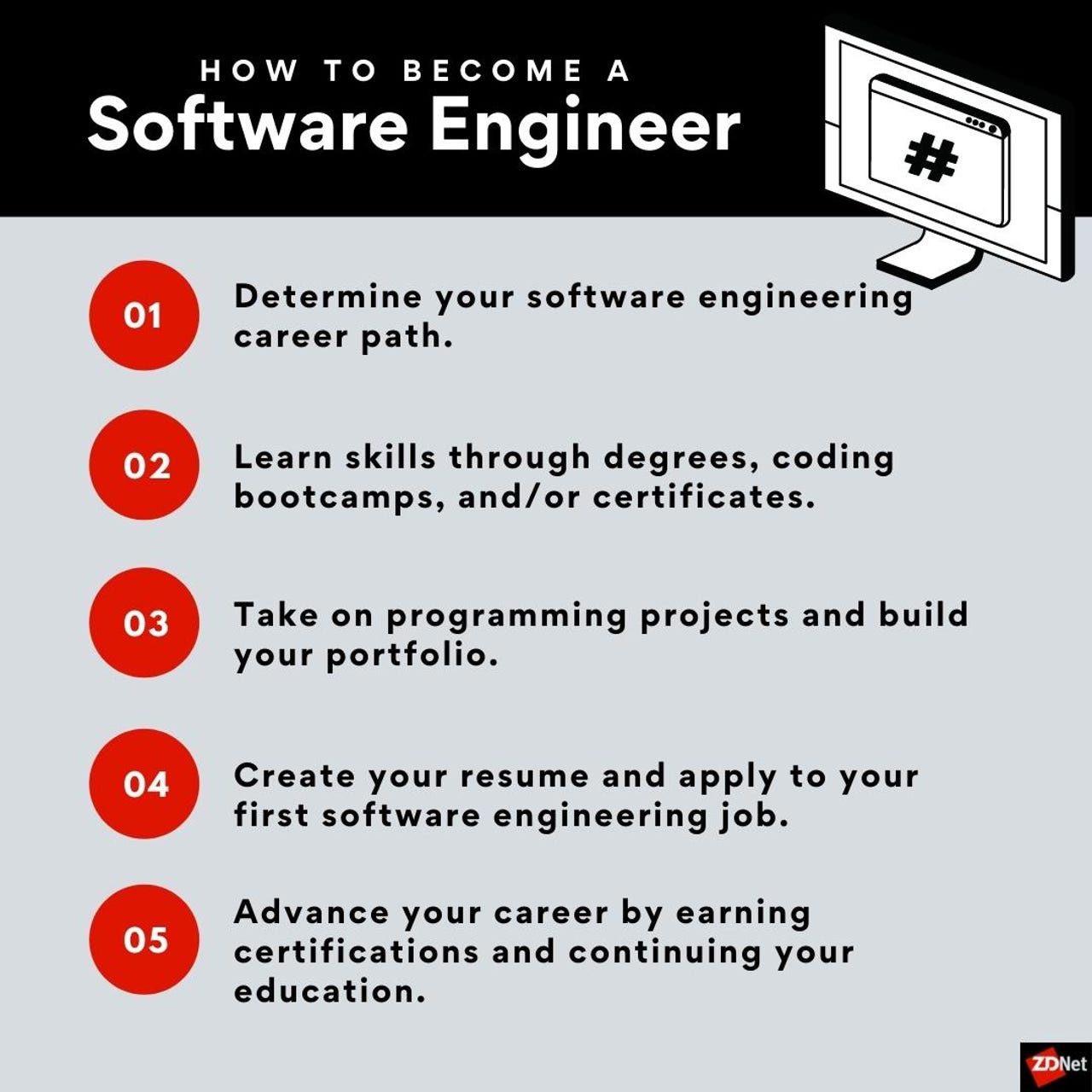
Infographics [click]
Conclusion
In essence, a software engineer is involved in the entire software development lifecycle, from initial concept to deployment and maintenance. They require a blend of technical skills, problem-solving abilities, and effective communication to collaborate with various stakeholders and deliver high-quality software solutions. Their work is fundamental to creating the software applications that power many aspects of our daily lives.
Overall if you solving problems, and need to actually understand coding, then a career in IT is for you! Thus with School of IT, you can become a internationally recognized and accredited after completing a Software Engineering Courses in under 6 months!
I just finished the Web and Software Engineer Master course, and its been a great experience. The online learning worked much better than i previously thought it would and the lessons with James were easy to understand, well structured and engaging. Would definitely recommend!
J
Johandri Rossouw
23 July 2026
★★★★★
had an excellent experience with the School of IT. My lecturer was friendly, professional, and always willing to help. Communication was clear, classes were well organized, and I learned a lot throughout the course. I highly recommend the School of IT to anyone looking for quality online training. Thank you for a great learning experience!
T
Tlotlego Lehabe
30 April 2026
★★★★★
I've had a wonderful lesson with full 1 on 1 lessons which gave me confidence in my career
N
Nandipha Mpongoshe
22 April 2026
★★★★★
I had a great experience studying the Microsoft Azure Data Analysis course at School of IT. The course was well-structured and practical, with a strong focus on real-world application using tools like Power BI and Azure.
The instructors were knowledgeable and supportive, making complex concepts easy to understand. This course has significantly strengthened my data analysis skills and confidence in working with cloud-based solutions. Highly recommended for anyone looking to upskill in data analytics.
M
Mikhe Bezuidenhout
23 January 2026
★★★★★
I found the content and course material very useful and user friendly. My lecturer did an outstanding presentation of the course contents. Can definitely highly recommend School of IT
M
Michael Duvenhage
21 January 2026
★★★★★
The first Cybersecurity course was an excellent introduction to Cybersecurity and was explained properly.
D
Danyella Camarena
4 January 2026
★★★★★
Had the most wonderful experience here! I learnt so much with my graphic design masterclass course - Carmel is wonderful and is an amazing teacher. 100% recommend!!!!!!!!!!
C
Chantal Hamman
27 November 2025
★★★★★
I did the SQL Administrator Master Course through The School of IT in August 2025 and successfully completed my Microsoft Certified: Azure Database Administrator Associate exam with the help of the incredible team. Online sessions were scheduled to fit in with my available hours, as I'm working full time and the lecturers were amazing. Always available to assist and answer questions. Shaun assisted me with the preparation of the exam with the all the online learning material and manuals that I needed. I can definitely recommend School of IT!
Chantal Hamman
C
Christof Van Niekerk
26 September 2025
★★★★★
I completed the Solid Works CAD design associate course, the course was well structured and able to accommodate my schedule.
Every lesson is a live call on MS Teams or Google Meet. You see your lecturer, they see you, and you both share screens, so you're doing the work, not just listening.
Sample lesson· Python, 1-on-100:24:08
Lecturer is sharing Loops in Python
How a loop works
Repeat the same steps for every item in a list.
names = [...]for name in names:print(name)✓ done
You are sharing lesson.py
You are sharing lesson.py
# your codenames = ["Thabo", "Aisha", "Pieter"]
for name in names
print("Hello", name)
SyntaxError: expected ':'
Lecturer
You are sharing lesson.py
names = ["Thabo", "Aisha", "Pieter"]
for name in names:
print("Hello", name)
Hello Thabo Hello Aisha Hello Pieter
Camera off
Lecturer
Camera off
🔇✋You
Chat
👆 A preview of a real lesson. Tap the buttons to try it.